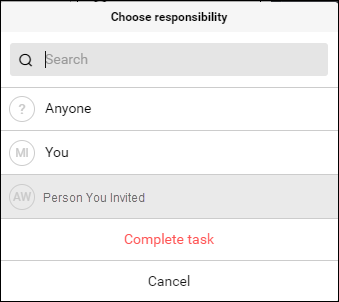
But none of my clients use Nozbe (yet!), so I've yet to implement this efficient process into my daily practice. That is, until I discovered the magic of delegating. I'm working on a fairly big project for one of my clients. I knew when I accepted the project, that I would probably need some help. However, after nearly 12 years of solopreneuring, I'm not skilled at asking for or finding help. And this particular project has a pretty small budget. So options were limited. At the same time, my 17-year-old son was finishing up his summer internship and needed a job for the school year. He's involved in some awesome extracurricular activities that leave his availability for working pretty limited. (I could go on another long rant about the state of teen jobs here, but I'll save that for another time and place.) I should mention, though, that he goes to a New Tech high school, and over the last three years, he's developed some pretty good technical skills. We were both in a good position to help each other out, so I decided to give hiring him a try. As his mom, I already knew how smart he was. But as his boss, it's been great to see how having someone really smart helps save me time and lets me focus on the more valuable aspects of my work while delegating the more repetitive and tedious tasks to him. As the next #10stepsbook quote explains “In order to succeed, it's worth accepting that others can be as capable of accomplishing a task as you are.” In fact, sometimes getting another point of view helps you find more efficient ways of working. So, with that said, here's an overview of the process of delegating tasks in Nozbe.
I hope you can incorporate this productivity practice into your daily life. Delegating is magic!
0 Comments
|
ArchivesCategories |




 RSS Feed
